Snapshots, Solos, And Ignored Snapshots
MatchPatch measures snapshots inside each selected preset. You choose how many snapshots to measure in the Misc tab.
Helix supports up to 8 snapshots per preset. Pod Go supports up to 4 snapshots per preset.
Snapshot Names
MatchPatch reads snapshot names from the processor file. Names matter because the GUI can use them to identify solos and snapshots that should be skipped.
Clear snapshot names make the automatic behavior easier to understand.
Solo Snapshots
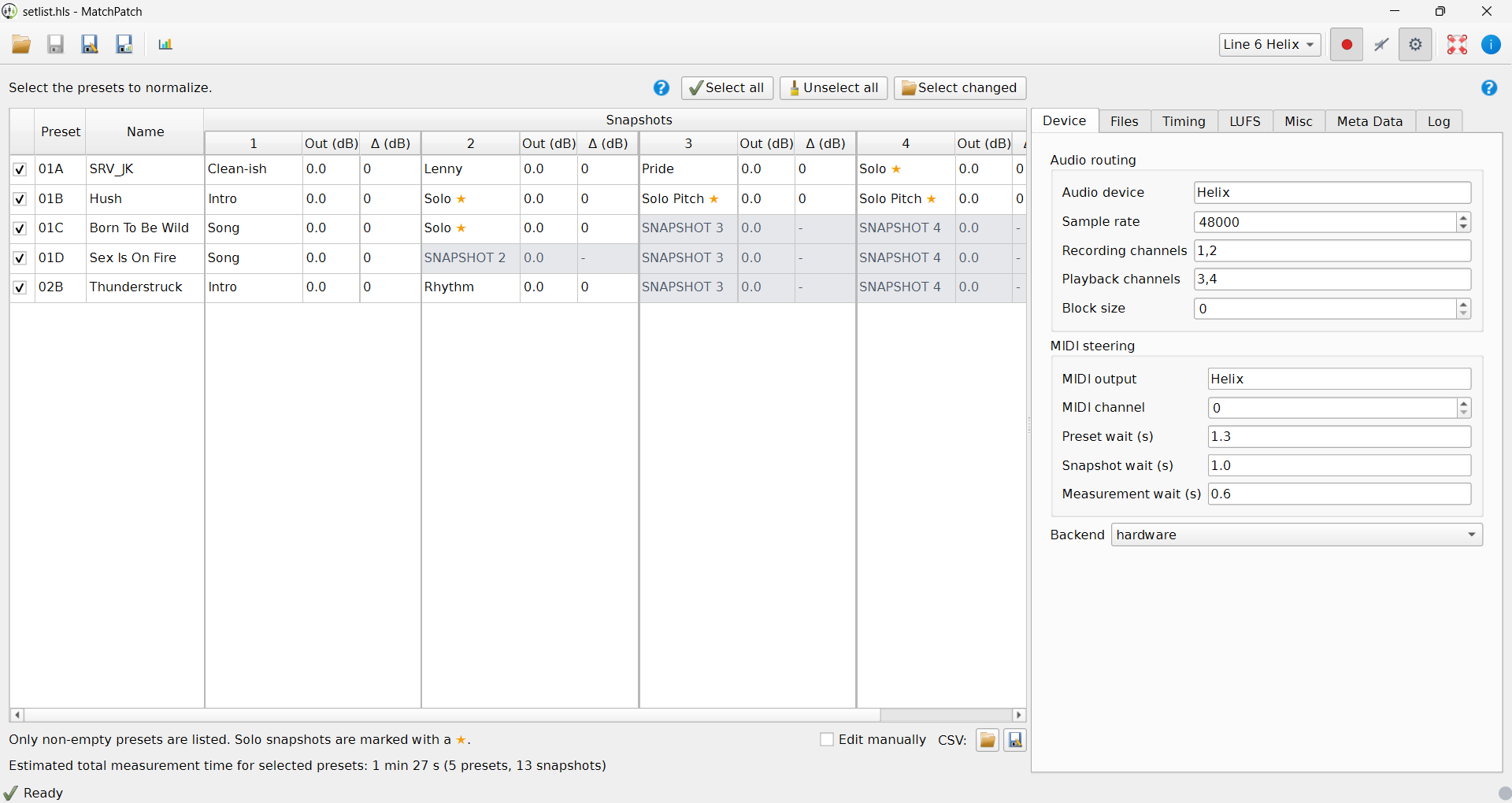
Solo snapshots are detected by name. By default, a snapshot with solo in the
name is treated as a solo.
Solo snapshots:
are marked with a star in the table;
get the configured solo boost;
are still measured like normal snapshots.
Example:
Snapshot name: Solo
Solo boost: +3 dB
That snapshot gets the normal MatchPatch adjustment plus the solo boost.
Ignored Snapshots
Ignored snapshots are skipped. They are shown in grey, and their adjustment cell
shows -.
The snapshot name cell shows one or more green no-entry ignore icons so you can see why a snapshot is skipped:
P: the whole preset is unchecked.C: the snapshot is unchanged compared with a previous file.R: the snapshot name matches the ignored snapshot regex.
If more than one rule applies, MatchPatch shows more than one icon.
A snapshot might be ignored when:
it is unused;
it is a placeholder;
it is a special effect that should not be normalized;
it still has a default name such as
SNAPSHOT 4.
Changing Detection
The Selection tab contains regex fields for Solo and Ignored snapshot names. In musician terms, these are name-matching rules.
If you change the ignored rule, the table updates right away.
Warning: Make sure ignored snapshots are truly safe to skip. MatchPatch will not adjust them.
Tip: Naming snapshots clearly, such as
Clean,Crunch,Lead, andSolo, makes MatchPatch easier to read.
Next Step
Read measured results: Reading Results
Normalize a full setlist: Normalize A Setlist